Human UGC20 sec
Real post · made with ClipMyApp
Upload once, approve what you like. That’s the whole job. Real people on camera, your real app on screen, and none of it looks AI-made. We schedule and publish to TikTok, Instagram Reels, and YouTube Shorts.
Real post · made with ClipMyApp
Drag a card, or use Skip and Keep.
The best-fit opening for each post
UGC video, memes, and carousels
Review and edit every post
TikTok, Instagram, and YouTube
How it works
Start with your website. Add a screen recording if you have one. ClipMyApp turns what it learns into videos, memes, and carousels you can approve and schedule.
Your website
We learn what your app does, who it helps, and why people should care.
One link is enough to startYour website
We learn what your app does, who it helps, and why people should care.
Optional product footage
Upload a quick screen recording when you want posts that show the app in action. You can skip this.
Fresh posts, ready for review
Videos, memes, and carousels arrive ready to review, edit, add to the calendar, and publish.
Create · approve · schedule · publish
Create new posts whenever you need them. Approve each one, then schedule and publish across TikTok, Instagram, and YouTube. No juggling folders, spreadsheets, and social media apps.
Turn your website and optional screen recordings into short videos, memes, and carousels. Generate more whenever your calendar needs it.
Review manual posts one by one, or approve an exact Autopilot schedule. Nothing publishes without your permission.
Connect TikTok, Instagram, and YouTube, place approved posts on one calendar, and publish automatically.
The calendar
Connect your accounts once. Put approved posts on the calendar, choose the channel and time, and let ClipMyApp publish them.
 TikTok
 Instagram
 YouTube
TikTok, Instagram, and YouTube.Connected in one click, under your control.
Month scheduled
TikTokTikTokInstagramInstagramYouTubeYouTubeTikTokInstagramYouTubeTikTokInstagram7:30 PMTikTok6:00 PMYouTube9:00 AMInstagram6:00 PMTikTok8:00 PMInstagram6:00 PMYouTube9:00 AMTikTok6:00 PMTikTokInstagramYouTubeViews · last 30 daysFollowers
2.1K
+38 this week
Views
48.2K
Likes
3.4K
TikTok6.2KInstagram4.8KYouTube2.1KTikTok12.4KInstagram7.5KYouTube3.9KProduct preview · demo numbers
Analytics
Views, likes, and follower growth for every channel and every published post, tracked automatically in the same place you plan.
Autopilot
Choose a daily, weekday, or custom schedule. Add multiple posting times, set the content mix, and select the accounts that receive each creative. ClipMyApp creates, schedules, and publishes only the plan you authorize.
Posting rhythm
Posting days
Content mix
Local posting times
TikTokTiktokInstagramInstagramYouTubeYouTubeScreen recording to TikTok
Upload a walkthrough. ClipMyApp keeps the taps, changes, and results worth showing, removes the waiting, and turns them into short videos ready for your review.
Read how to turn a screen recording into a TikTokWaiting removed
Human UGC + AI hooks
The first seconds decide whether anyone watches. Your posts open with real, licensed human reactions, so they land in the feed like a person posted them.
Today
My creator
Make a creator once. Get new videos with the same face whenever you want. No camera, no filming.
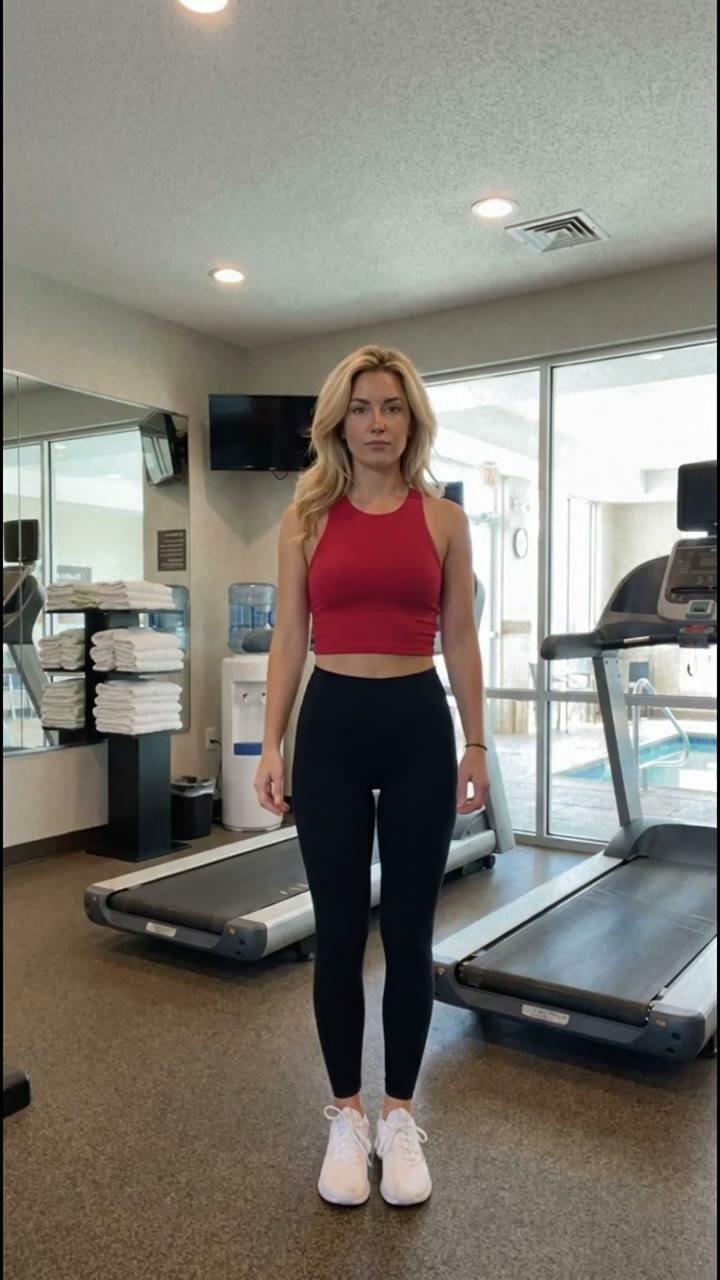 Identity locked
Pick a scene
Questions, answered
Your app name, a website or short description, and a few quick answers about the product. Screen recordings are optional.
Create vertical short videos with licensed Human UGC or AI-generated hooks, plus editable memes and five-slide carousels built around your product. Everything is sized for TikTok, Instagram Reels, and YouTube Shorts.
Indie founders and small teams marketing an app or SaaS product, usually without a video editor or a content person. You do not need editing skills. If you can record your screen for two minutes, you can use it.
Content that looks like a creator posted it gets watched; content that looks like an ad gets scrolled past. ClipMyApp deliberately keeps posts feed-native, built on real app footage, real-person hooks, memes, and carousels, so they earn attention in the feed instead of triggering the viewer's ad filter.
That is the job ClipMyApp does. It pairs licensed footage of real people with footage of your own product, so each post opens like a creator video and pays off with your app on screen. There is no casting, no briefs, and no shipping products to creators.
Yes. Record your product in a browser window and ClipMyApp reframes the wide recording into vertical video, zooming in on the part that matters. You never need to film your laptop screen with a phone.
ClipMyApp matches each post with licensed real-person footage or an AI-generated hook based on the subject, mood, and product story. When both are eligible, Human UGC is prioritized. You can filter, swap, or remove the opener before publishing.
Keep generating new posts whenever you need them. ClipMyApp is built to keep your calendar full, not stop after a one-time set.
No. ClipMyApp can create content from your website and answers. Add recordings when you want videos that show real taps and workflows inside the app.
Yes. Rewrite the opening line, change sounds, replace meme backgrounds, edit carousel slides, and restore earlier versions. Nothing publishes until you approve it.
All three. Every post is made as a vertical 9:16 video, so the same content works as a TikTok, an Instagram Reel, and a YouTube Short. Connect the accounts you use, put approved posts on one calendar, and choose when each channel publishes.
Connect TikTok, Instagram, and YouTube. Place approved posts on one calendar and choose when each channel publishes.
Yes. Review the content first, then arrange the approved posts across the month and let ClipMyApp publish them on schedule.
Yes. Autopilot lets you choose a daily, weekday, or custom schedule and add multiple posting times to each selected day. Approve the exact plan and connected accounts once, then ClipMyApp creates, schedules, and publishes that plan until you pause it or change its permissions.
Most app accounts that grow post four to six times a week, and consistency matters more than any single post. ClipMyApp is built for that pace: generate a batch, approve the ones you like, and schedule the month in one sitting.
No. Posts are built from your app footage, licensed real-person openers, memes, and carousels, so you never have to record yourself talking to a camera.
Your content engine starts here
Create whenever you need fresh content, approve what goes live, and keep every channel scheduled from one place.